

Law Firm Website Design: Proven SEO & Conversion Strategies
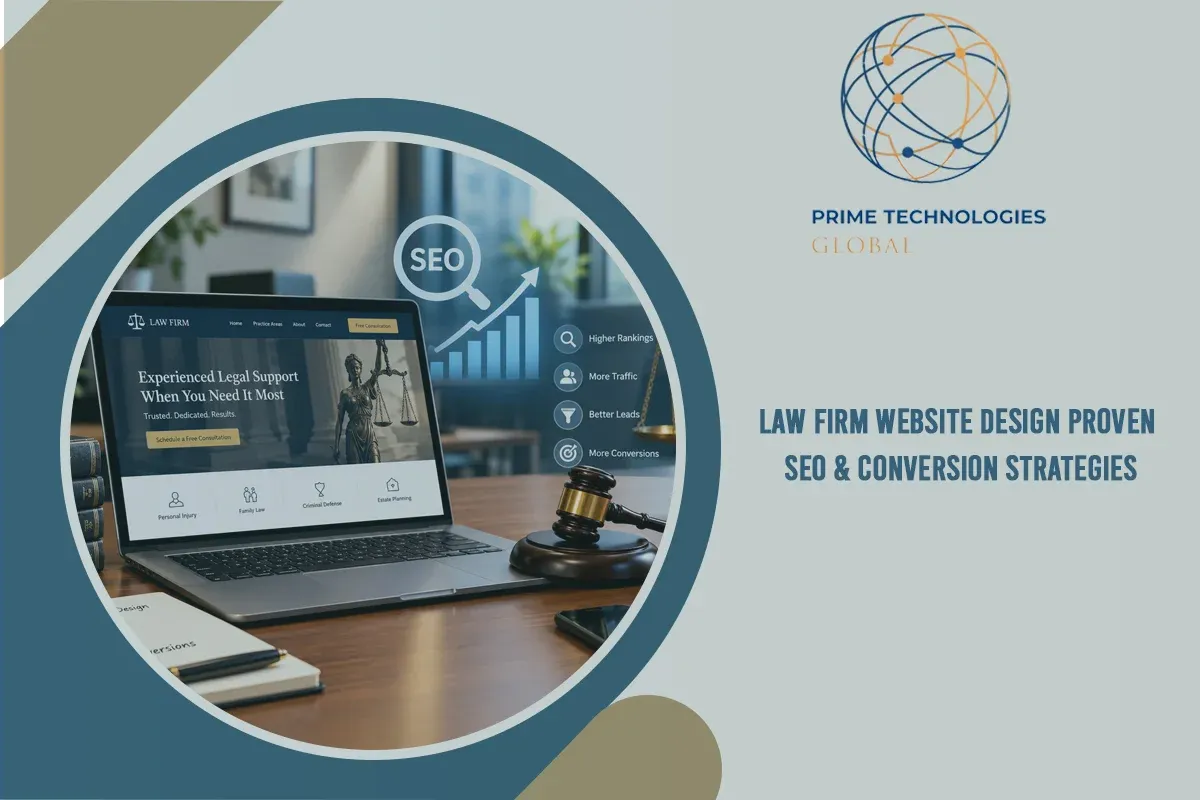
Your website is the first meeting a prospective client has with your firm, and most of them hold that meeting with several firms at once. Research shows 75% of potential clients compare two to five law firm websites before they call anyone. Strong law firm website design decides whether yours makes the shortlist.
The margin for error is small. 61% of visitors leave within 10 seconds if they cannot tell what a firm handles and where it practices. This guide covers what a high-performing legal site needs: clear UX, fast mobile performance, visible trust signals, structured legal SEO, and intake that works after hours.
Quick definition: Law firm website design is the process of planning, designing, and building a firm's website so it attracts search traffic, earns a visitor's trust, and turns that visitor into a consultation request. It combines user experience, technical performance, search optimization, and conversion design.
The Core Principles of High-Converting Law Firm Website Design
Strong UX is what turns cold search traffic into signed clients. The people landing on your site are often stressed, comparing options quickly, and looking for a reason to trust someone. Your design should make that decision easy.
In short: A converting law firm website tells visitors three things within seconds: what you handle, where you practice, and how to reach you.
The 3-Second Rule
Visitors should understand your primary practice areas and location without scrolling. Put a plain headline, a one-line value proposition, and a visible contact option above the fold.
This matters because 76% of visitors leave when they cannot quickly find detailed information about a firm's services and process. Vague taglines about "justice" and "commitment" do not answer the question they came with.

Visual Hierarchy and Typography
Professional design starts with readability. Use high-contrast color pairings, generous white space, and one or two typefaces. Break content into short sections so a visitor scanning on a phone can find an answer in seconds.
Eliminating Conversion Friction
Auto-rotating hero sliders and carousels split attention and bury your message. Replace them with one bold, focused value proposition and one primary action.
Also remove anything that makes a visitor work harder than necessary:
- Navigation menus with more than seven top-level items
- Contact forms that ask for more than name, phone, email, and a short case summary
- Practice area descriptions buried in paragraphs of legal jargon
The cost of getting this wrong is real: 69% of users abandon a legal website that loads slowly or has poor mobile design (iLawyerMarketing, Practice Proof).
Technical Performance and Mobile-First Web Design for Law Firms
Speed and mobile usability affect both your rankings and your conversion rate. Google measures them through Core Web Vitals, and clients feel them immediately.
In short: Mobile-first web design for law firms means building the phone experience first, then scaling up to desktop, because most legal searches happen on mobile.
Legal industry benchmarks show mobile search drives 7x more traffic than desktop, the widest mobile-to-desktop gap of any service vertical (Revenue Memo, Search Lab). Yet over 41% of law firm websites take longer than 3 seconds to load, which pushes bounce rates up.
Build for Touch and Thumbs
- Sticky click-to-call button that stays visible while scrolling
- Simplified mobile forms with large tap targets and minimal fields
- Touch-friendly navigation that avoids tiny dropdown menus
Optimize Speed
Large attorney headshots and background videos are the usual culprits. Compress images, use modern formats, lazy-load media below the fold, and avoid heavy plugins. Pair that with quality hosting and clean code. A custom-built site typically carries far less bloat than a stacked theme.
Security and Accessibility
Clients share sensitive details with lawyers, so trust signals start with the technical basics. Install SSL/HTTPS, follow current ADA accessibility standards, and publish a clear privacy notice. These steps protect client data, reduce legal exposure, and lower bounce rates.
Building Authority and Trust With E-E-A-T in Legal Website Design
Legal content falls under Google's "Your Money or Your Life" category, so search engines hold it to a high standard. E-E-A-T stands for Experience, Expertise, Authoritativeness, and Trustworthiness. Your design has to show all four, not only claim them.
In short: E-E-A-T in legal website design means proving who your attorneys are, what results they have achieved, and what clients say about them, in plain view.
Attorney Profile Optimization
A dry CV does little to help a nervous prospect. Strong attorney pages include a professional headshot, a short introduction video, bar admissions, board certifications, notable case results, and links to published work or speaking engagements.
Social Proof Placement
Do not save reviews for a single testimonials page. Place verified client reviews, video testimonials, and verdict highlights on each practice area page, next to the call to action where hesitation peaks. Follow your state bar's advertising rules when displaying results and testimonials.
Real Photos Beat Stock Photos
Gavels, scales, and columns tell visitors nothing about your firm. Use authentic photography of your attorneys, staff, and office. This is an easy edge: 97% of law firm websites lack personal photos or authentic team visuals (ABA Legal Technology Survey, Revenue Memo). Firms with strong visual branding and recognizable client reviews also convert 33% more leads than firms without clear brand assets.
Template vs. Custom Law Firm Website Design
Many small firms start with a template. The comparison below shows where custom law firm website design tends to pay off.
|
Factor |
Template Site |
Custom Law Firm Website Design |
|
Load speed |
Often slowed by unused theme code |
Lean code built for your pages only |
|
Brand differentiation |
Shared layouts look like competitors |
Unique identity and real attorney visuals |
|
SEO structure |
Limited control over URLs and schema |
Full control of silos, schema, and internal links |
|
Intake integration |
Plugin-dependent, often fragile |
Direct CRM, scheduling, and chat integration |
|
Long-term cost |
Lower upfront, higher rebuild risk |
Higher upfront, stronger return over time |

Legal SEO and Generative Engine Optimization for Law Firm Websites
Your site now has to rank in Google's organic results, Google's Local Pack, and AI answer engines such as ChatGPT, Gemini, and Perplexity. The same structural choices help with all three.
In short: Generative Engine Optimization (GEO) is the practice of structuring content and schema so AI models can accurately understand, cite, and recommend your firm.
The numbers explain the priority. Local pack placements drive 44% of clicks on high-intent legal searches, and 62% of legal leads originate from Google Maps listings. Non-branded organic search makes up 58% of incoming law firm web traffic (ClickVision, SEOProfy).

Give Every Practice Area Its Own Page
Bundling services onto one page weakens your relevance for every one of them. Create a dedicated, in-depth page for each specific service, such as divorce, child custody, and spousal support for a family law attorney website. Each page should answer real client questions, explain your process, and link to related pages.
Local SEO Infrastructure
- Embed Google Maps on location and contact pages
- Complete and maintain your Google Business Profile with accurate categories, hours, and photos
- Keep name, address, and phone details identical across legal directories
- Create location pages for each office with unique content
Schema Markup for AI Search
Structured data helps machines read your site the way a person would. Use LegalService, FAQPage, and Review JSON-LD schema so AI models can parse your services, locations, and reputation. Write short, direct answers under each heading so your content is easy to extract and quote.
Automated Lead Intake and Conversion Funnels
Traffic only matters if you capture it. Many prospects contact a firm outside business hours, and the firm that responds first often wins the case.
In short: Automated legal intake uses forms, chat, scheduling, and CRM workflows to qualify and respond to leads at any hour without adding staff.
Consider what the data says: 44% of legal leads arrive after standard business hours. Firms that follow up within 5 minutes see a 400% higher conversion rate, and 73% of firms using integrated chatbots report higher conversion rates (Practice Proof, Ruler Analytics).
Offer Multiple Ways to Make Contact
Different clients prefer different channels. Provide a short contact form, a click-to-call banner, an online scheduler, and live web chat so no one has to hunt for the option that suits them.
Add 24/7 AI-Powered Intake
A well-configured chatbot can ask screening questions, collect case details, flag urgent matters, and book a consultation while your office is closed. Set clear boundaries: the bot should collect information and schedule, not give legal advice.
Shorten Your Response Time
Connect intake forms directly to your CRM, trigger instant text or email confirmations, and route new leads to a named person. E-signature integration lets clients sign engagement letters the same day.

How to Build a Website for Your Law Firm: 7 Steps
If you are starting from scratch or planning a rebuild, follow this sequence.
- Define your goals and ideal clients. Decide which practice areas and case types you want more of.
- Research your market. Review competitors and the keywords prospects search, such as "law firm web design" and "legal website design."
- Plan your site architecture. Map a page for each practice area, attorney, and office.
- Choose a build approach. Weigh a template against a custom build, or hire a law firm web design company with legal experience.
- Design for mobile first. Prioritize speed, click-to-call, and short forms.
- Add trust and intake. Publish attorney profiles, reviews, schema markup, and connected intake tools.
- Launch, measure, and refine. Track calls, form submissions, and signed cases, then improve underperforming pages.
Law Firm Website Design Tips You Can Apply This Month
- Rewrite your homepage headline to state your practice area and city
- Replace stock images with real photos of your team
- Test your site on a phone and time how long it takes to load
- Add a sticky call button on mobile
- Move reviews next to your calls to action
- Set up after-hours response through chat or automated follow-up
Conclusion
A successful website works as a marketing and intake engine, not a static brochure. The firms that win online do a handful of things well:
- State practice areas and location clearly within three seconds
- Build for mobile first and keep load times under three seconds
- Show real attorneys, real reviews, and verifiable credentials
- Structure practice pages, local signals, and schema for Google and AI search
- Respond to every lead fast, including after hours
Investing in thoughtful law firm website design compounds over time. Better visibility brings more qualified visitors, stronger trust converts more of them, and faster intake keeps them from calling the next firm on the list.
Build a Website That Turns Visitors Into Clients With Prime Technologies Global
Building a high-converting site requires technical skill, legal SEO knowledge, and modern web engineering. At Prime Technologies Global, we engineer custom, high-performance websites and legal technology solutions designed to turn visitor traffic into dependable revenue.
Whether you need to rebuild your firm's online architecture, optimize for Generative Engine Optimization, or add automated lead intake, our team handles the execution.
Ready to upgrade your firm's digital presence? Partner with Prime Technologies Global today to build a fast, modern, search-optimized website designed for long-term growth.
Frequently Asked Questions
How can I build a website for my law firm?
Start by defining your target clients and practice areas, then plan a page for each service, attorney, and office. Choose a fast, mobile-first design, add trust elements like attorney bios and reviews, and connect intake tools. Firms without in-house technical skills usually get better results from a specialist in web design for law firms.
What is the 80/20 rule for lawyers?
The 80/20 rule, or Pareto principle, holds that roughly 80% of results come from 20% of efforts. For firms, that often means a small share of clients or practice areas produces most of the revenue. Apply it to your website by building the deepest content around your most profitable practice areas and tracking which pages produce signed cases.
How can a lawyer make $500,000 a year?
Income at that level depends on practice area, market, and case value, and no website guarantees it. Lawyers who reach it usually combine high-value case types, efficient operations, strong referral relationships, and a steady flow of qualified leads. Your website supports the last piece by ranking for high-intent searches and converting visitors quickly.
What is the best AI platform for law firms?
There is no single best platform, because firms use AI for different jobs. Legal research and drafting tools, practice management systems with built-in AI, and client intake chatbots each serve a different need. Evaluate any option on data confidentiality, accuracy, integration with your CRM, and compliance with your state bar's guidance on generative AI, including ABA Formal Opinion 512. Confirm current features and pricing directly with each vendor.